FlexMLS Archives - Page 8 of 30 - METRO MLS

The Metro Word

FlexMLS Category Posts

Explore Flexmls Menu Items You May Not Know About!

This blog is a list of seldomly used features in the Flexmls Menu that can benefit agents in Metro MLS.

How To Search by DOM & CDOM

The ability to see Days on Market (DOM) and Cumulative Days on Market (CDOM)  is a helpful searching tool you can use while reviewing listings in Flexmls.

Find Agents Fluent in a Specific Language

A simple search in Flexmls can help you find an agent who speaks Spanish, Arabic, or any other language.

Flexmls Fields Defined: Oven, Range, Cooktop

Flexmls Fields Defined: Oven, Range, Cooktop

Recently, Flexmls split the Oven/Range field into three separate fields – Oven, Range, Cooktop – in the single-family and condominium property types. We changed the fields to align with the RESO definitions and values.

read more
Reporting a Listing Error in Flexmls

Reporting a Listing Error in Flexmls

Metro MLS prides itself on offering accurate real estate data. We review each listing to ensure the data is correct. We also allow members to report errors if they notice a mistake in Flexmls.

read more
How to Withdraw an Active Listing

How to Withdraw an Active Listing

Do you have a property in Active listing status that is no longer available for showings? If this is the case, you must move the listing to Withdrawn status. Follow these steps to withdraw your listing.

read more
Setting the Default Map in Flexmls

Setting the Default Map in Flexmls

Do you know you can set your default map area for searching in Flexmls? The Quick Search map will automatically default to a view of the Milwaukee area. If you prefer the map to default to a different area, you can easily change it.

read more
Finding Open Houses in Flexmls

Finding Open Houses in Flexmls

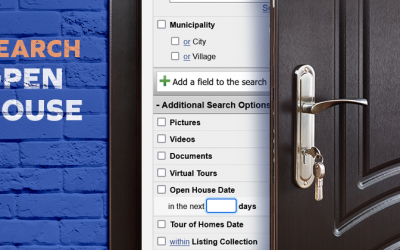
In just a few steps, you can quickly find open houses for listings that match your search criteria in Flexmls. To add the Open House filter, scroll down to the Additional Search Options section. You will see Open House Date as a field.

read more
How to Run a Hot Sheet in Flexmls

How to Run a Hot Sheet in Flexmls

Hot Sheets give you an easy and efficient way to see recent changes in a specific area, such as new listings and price changes, in Flexmls. You have access to two Hot Sheets – the 24-Hour Hot Sheet and the Custom Hot Sheet. The two options are similar but feature some distinct differences.

read more
Using Reverse Prospecting as a Buyer’s Agent

Using Reverse Prospecting as a Buyer’s Agent

Reverse prospecting is a tool to help listing agents find buyers’ agents whose clients might be interested in their listings. As a buyer’s agent, if you enable reverse prospecting, listing agents can reach out to you when the system thinks their listing is a good match for your buyer’s search.

read more
What is Reverse Prospecting in Flexmls?

What is Reverse Prospecting in Flexmls?

Do you want to generate more leads for your listing? Reverse prospecting matches a listing agent’s listing with a selling agent’s client. The goal is to connect the right property with the right buyer.

read more
Copying a Listing in Flexmls

Copying a Listing in Flexmls

Building a new listing from scratch can take time and sometimes is unnecessary. You can save valuable time with the Flexmls copy listing feature. The copy listing feature allows you to copy a listing and use most of the existing information without recreating a listing from step one.

read more
Creating a View in WIREdata

Creating a View in WIREdata

Do you want to see more information on your results screen in Tax Information? You can view more data by creating a View. A View is the columns you see on the results screen in Tax Information, also known as WIREdata.

read more