
The Expiration Date will show on a listing report, but only if you are logged in as the Listing Agent. The Expiration Date does not show for anyone else.

Why Is My Expiration Date Showing on My Listing?
read more
Metro MLS will close at noon Tuesday, Dec. 23, and reopen at 8 a.m. Friday, Dec. 26, for the Christmas holiday.
The Expiration Date will show on a listing report, but only if you are logged in as the Listing Agent. The Expiration Date does not show for anyone else.
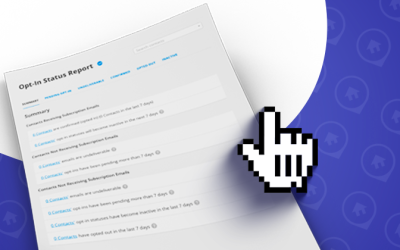
Is your client not getting your subscription emails from Flexmls? Check the Opt-In Status Report. To find the Opt-In Status Report clicking on Menu, under Contacts. It will show which contacts are receiving listing updates via email from their subscriptions.

While in a Quick Search, you can search by more than one Property Type at once. Choosing the Quick Search Template of 08 All Categories allows you to choose which Property Types to search by.

The words “Selling Agent” has a different meaning in casual conversation than it does while being used in the MLS. This blog explains how both terms are used.

Listing Banners aka flags, will show for 72-hours after common listing changes. These listing banners can help a listing stand out from the others.

Flexmls changed the look of the Add a Field search field and the location of the map tools in Quick Search to provide a streamlined and easier-to-view look. The functionality remains the same for both features.
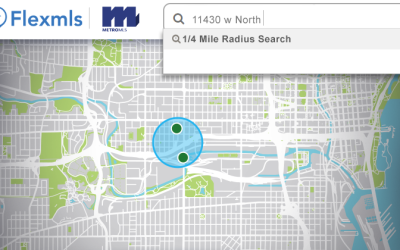
Do you want easier access to nearby listings for a specific address? You can now quickly perform a 1/4 mile radius search in the Quick Launch bar in Flexmls.

Statistics show that using quality photos for marketing and listing a property increases interest and leads to a higher sales price for a property. Metro MLS has rules to ensure members follow the same procedures when uploading photos into Flexmls.

Even though it’s more common to search based on what your client does want, at times it’s necessary to filter out what is NOT wanted. Some examples of features you might want to filter out are Type, Basements, Appliances Include and Style.
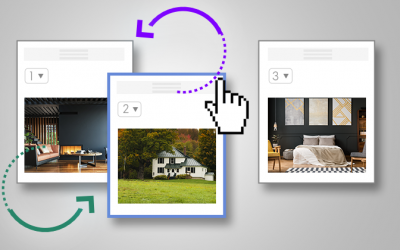
There are two ways to change the photo order for your listings in Flexmls. It’s easy to do and can help highlight the best photos of the property to make your listing stand out from the competition.

After you have added the general listing information, photos and media is usually the last steps. If you added your listing and it now has an assigned MLS ID number but forget to add photos or media; let’s review how to successfully add photos or other media to your live listing in Flexmls.

Flexmls provides nine different Overlays that can be applied to your Map in a Search. The Map Overlays can be beneficial to visualize flood zones, County boundary lines and more. All nine Map Overlays available are reviewed,

Flexmls has made it easier to send your clients listings. You can now share listings via text message. The new feature is available in Quick Search via the new Share button and on the Change Listing page.

There are times you might need to change listing information for an Active listing, such as the list price. You can edit a listing’s list price in just a few steps.

Have you noticed the phrases Days on Market or Cumulative Days on Market in Flexmls? Do you know the difference and how each are calculated?
Below are definitions for Days on Market and Cumulative Days on Market.